|
| |
|
• Free Software Collection |
10 Free & Open Source Multimedia Design Applications.
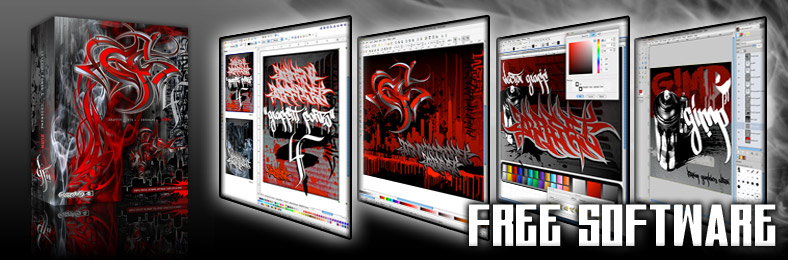
With our 3.0 CDROM we introduced this collection of free & open source software. We later added it to our older Edition 1 & 2 CDROMs. For the new 4.0 DVDROM we have upgraded & added additional versions of the applications to reflect changes in operating systems & hardware since the last edition. This collection of software ensures that even novice users with no software at all will be able to get the most out of the full GF4 collection. Print, web & office apps are all included for any Mac®, Windows® or Linux computer. |
|
| |
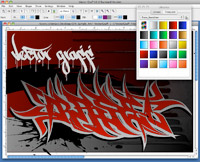
VectorGraff™ Screenshot
|
• VectorGraff™ Ver. 1.0 |
VectorGraff - Cross Platform Vector Drawing Application
This
CDROM also includes VectorGraff™, a simple vector
drawing application with which you can create everything
from technical drawings to logos, use fonts, add text to
images and more. Layers, Transparency, Custom Gradients
& more are all available in VectorGraff. Created by Highground this tiny (under
1mb) app can travel with you on a USB drive or any other
storage media.VectorGraff is a cross-platform application that runs on virtually any Windows,
Mac or Linux operating system and can even run right from
the GF4 BURN DVDROM or any disk. |
|
|
|
|
| |
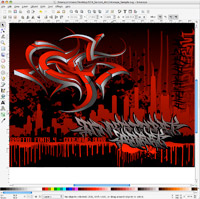
Inkscape Screenshot |
•
Inkscape |
| Inkscape - Advanced Vector Drawing Application
This
advanced vector drawing application similar in function
to programs like Illustrator, Corel Draw, Freehand and others
allows complex drawing, color, layout & font work. Easy
to use and very powerfull, Inkscape imports & exports
most vector & bitmap file formats. Full versions are
included for Mac, Windows & Linux.
Inkscape is a great application for using the fonts from the Graffiti Fonts® collection |
|
|
|
|
| |
Open Office 3 Screenshot |
•
Open Office |
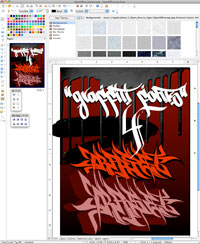
Open
Office - Multi Featured Office & Design Suite
OpenOffice
consists of 6 high quality applications in all. First developed
by Sun Microsystems™ then later released as open source, this
suite includes a vector drawing application, a word processor,
an html editor and a lot more. The Open Office suite allows you to open & edit Microsoft® Word® documents, HTML files, create, edit & read PDF files, create an animated, interactive presentation, a vector design or layout , a database or spreadsheet or even a website. Open Office opens MANY common file formats.
Special features include 3D vector effects, image importing & manipulation, charts & graphs, & a wide array of export & import capabilities. When working in any of the 6 OpenOffice applications you have access to a built in library of textures, backgrounds, web objects, & other images & artwork that you can drag directly into your documents. You can also load these libraries with the GF4 material or your own material. |
|
|
|
|
| |
Blender Screenshot
|
•
Blender |
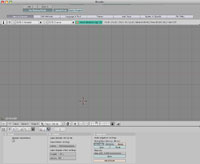
Blender - Full Featured 3D Modeling
Create
custom 3D objects, text, environments or artwork and export
your work to a variety of popular formats. Blender works
with TrueType & OpenType fonts and contains a wide array of 3D effects.
Blender is a fully featured 3D editor with which you can create nearly any object imaginable, color, texture, light & modify your object as you view it from any angle. Blender is for expert or dedicated users. Anyone can use it howevers it's much more difficult that the other apps. |
|
|
|
|
| |
Gimp Screenshot |
•
GIMP |
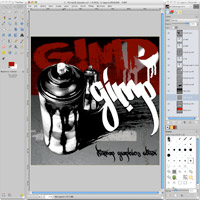
Gimp - Advanced Bitmap Graphics Editor.
The
worlds most popular, open source image editor. The Gimp
is similar in function to Photoshop & other bitmap image
editors. With this app you can create or manipulate images
in virtually all popular formats. Paint, use fonts, import
photos & images & use an ever expanding array of
effects and filters to create high-end digital art. |
|
|
|
|
| |
        |
We have included all of our fonts, images, vector illustrations & other assetts in multiple formats for use in nearly any design, development or productivity applications including the free apps we've included. |
|
|



